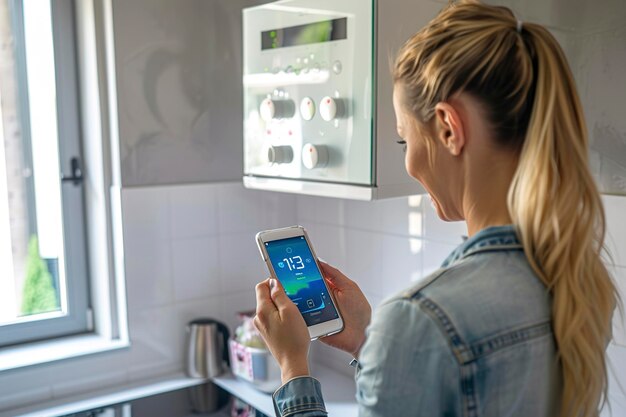
Smart Home Basics: An Authoritative Guide to Connected Living
A smart home is a living space where everyday devices are connected, automated, and often controlled remotely. Lights, locks, thermostats, cameras, speakers, appliances, and even blinds can communicate over a network and respond to your commands, schedules, or sensors.
For some people, that means a single smart speaker in the kitchen. For others, it means a deeply integrated system that automates most of the home’s routines. Most households fall somewhere in between.
This guide explains what “smart home” really covers, how the technology works, what research generally shows about benefits and trade‑offs, and how different circumstances shape what makes sense. It does not tell you what you should do. That depends heavily on your space, budget, comfort with technology, and priorities.
What Is a Smart Home?
At its core, a smart home combines three ideas:
- Connectivity – Devices are linked, usually via Wi‑Fi, specialized wireless standards, or wiring.
- Control – You can control devices via apps, voice, remotes, panels, or automations.
- Automation – Devices can act based on schedules, sensors, or rules (“if this, then that”).
Common smart home terms
Getting familiar with a few key terms can make the landscape less confusing:
- Smart device / smart appliance: A product (light bulb, lock, plug, TV, fridge, etc.) that can connect to a network and be controlled digitally.
- Hub / bridge / gateway: A device that links smart products to each other or to the internet, especially when they use different wireless standards.
- Protocol: The “language” devices use to talk, such as Wi‑Fi, Bluetooth, Zigbee, Z‑Wave, or Thread.
- Voice assistant: Software that responds to spoken commands (for example, playing music, turning lights on, or answering questions).
- Scene: A pre‑set group of actions (for instance, “Movie night” may dim lights, close blinds, and turn on a TV).
- Automation / routine: A rule such as “turn on the porch light at sunset” or “lock the door when everyone leaves.”
In practice, “smart home” can mean:
- A single‑room setup (like smart lights and a speaker in the living room).
- A multi‑room system (lighting, thermostats, and speakers around the home).
- A whole‑home automation system including security, energy management, and custom controls.
Smart homes are not all‑or‑nothing. Many people add one small piece at a time as they learn what they actually use.
How Smart Homes Work: The Core Mechanics
Under the friendly app screens and voice commands, smart homes rely on a set of technical building blocks. Understanding them at a basic level helps explain why things sometimes work smoothly—and sometimes don’t.
Devices, networks, and “talking” to each other
Most smart homes rely on:
- Smart devices with built‑in radios or chips.
- A home network, often centered on a Wi‑Fi router.
- Some form of control layer (apps, hubs, or voice assistants).
Devices talk using protocols:
- Wi‑Fi: High bandwidth; uses more power. Common for cameras, speakers, TVs.
- Bluetooth: Short range; often used for direct phone‑to‑device control.
- Zigbee, Z‑Wave, Thread: Low‑power mesh networks where devices relay signals among themselves, useful for sensors and switches distributed around the home.
Some systems now support Matter, a newer standard intended to improve compatibility between brands and ecosystems. Research and industry reports suggest this may reduce fragmentation over time, but support is still evolving.
Local control vs. cloud control
Smart devices operate in two main ways:
- Local control: Commands stay within your home network. Responses tend to be faster and can still work without internet if the local system is running.
- Cloud control: Signals go out over the internet to a company’s servers, then back. This often enables advanced features—like remote control from anywhere—but depends on a stable connection and external services.
From a reliability and privacy standpoint, experts often distinguish:
| Aspect | Local Control | Cloud Control |
|---|---|---|
| Internet needed | Not always | Almost always |
| Latency | Typically faster | Can be slower |
| Privacy | Fewer external data transfers | More data leaving the home |
| Features | May be simpler | Often more AI / remote features |
| Failure points | Your network and hardware | Your network + external servers |
Different people weigh these trade‑offs differently. Some value convenience and “smart” features more; others prioritize reliability or data minimization.
Automation and “if this, then that”
Automations are usually built on simple logic:
- Triggers: Time, sensor readings (motion, temperature, contact), location, or device states.
- Conditions: Extra rules like “only if it’s dark” or “only on weekdays.”
- Actions: What the system does—turn something on/off, send alerts, change a setting.
For example:
- Trigger: Front door opens after 6 p.m.
- Condition: It’s dark outside.
- Action: Turn on hallway and living room lights.
Research on human–computer interaction and behavior suggests that simpler, easily understood rules are more likely to be used and maintained. Overly complex setups can be harder for households to manage, especially if only one person understands how they work.
Why Smart Homes Matter: Potential Outcomes and Trade‑offs
Research and expert analysis generally highlight several broad areas where smart home technology can make a difference: comfort and convenience, safety and security, energy use, accessibility and aging, and information privacy. The direction and size of those effects vary by household.
Comfort and convenience
Smart homes are often first adopted for convenience:
- Hands‑free control of lights, music, and devices.
- Routines for waking up, going to bed, or leaving home.
- Remote control when you’re away (checking if you turned something off, for example).
Surveys and user studies commonly find that people value “small frictions removed” more than dramatic changes. But not everyone experiences these benefits equally; they depend on reliable setups and on what actually matters in day‑to‑day life.
Safety and security
Smart cameras, doorbells, locks, and sensors aim to improve awareness and control. Research generally finds:
- Perceived security often increases when people can see or check on their homes remotely.
- Actual security impact depends on many factors: correct installation, use of strong passwords, software updates, and integration with physical security basics.
There is also a privacy and data security side. Internet‑connected cameras and locks can introduce new vulnerabilities if not properly configured or updated. Security experts emphasize that the risk is not zero, but can be managed with thoughtful use.
Energy use and environmental impact
Smart thermostats, plugs, and lighting are often discussed as tools to reduce energy use. Studies have found:
- Some households reduce heating and cooling energy by using smart thermostats or more precise schedules.
- Savings tend to be highly variable, influenced by climate, building insulation, personal comfort preferences, and how systems are configured.
Results in research are often averages across many homes. Real‑world outcomes for a specific home can be lower, higher, or neutral. In some cases, added devices may increase total energy consumption if they are left on or used heavily.
Accessibility and aging in place
Smart home technology can support older adults, people with limited mobility, or those with sensory differences:
- Voice control for lights and thermostats.
- Automated routines that reduce the need to move around the house.
- Sensors that can alert caregivers to unusual patterns.
Gerontology and rehabilitation research points to meaningful potential here, but also stresses that design, reliability, and user training are crucial. Poorly designed or confusing systems can be frustrating or even unsafe if they fail at critical times.
Privacy, data, and digital wellbeing
Most smart devices collect some form of usage data. Some collect audio, video, or behavioral patterns. Studies and policy analyses commonly raise these points:
- Data collection and profiling: Information may be used for analytics or product improvement; in some cases, it can be combined with other data sources.
- Data breaches and hacks: As with any connected technology, vulnerabilities can expose data if software or settings are not well managed.
- Household dynamics: Shared systems can raise questions about who controls devices, who is recorded, and whose preferences matter.
People’s comfort levels vary widely. Some are willing to trade more data for convenience. Others prefer minimal data collection even if that limits features.
Key Factors That Shape Smart Home Results
Two homes with identical tech can have very different experiences. Research and expert commentary repeatedly highlight a few variables that matter:
Home type and infrastructure
- Housing type: Single‑family homes, apartments, and older buildings present different wiring, Wi‑Fi coverage, and installation options.
- Internet quality: Many smart home features depend on stable broadband. In areas with unreliable or expensive internet, cloud‑dependent systems may be less practical.
- Physical layout: Thick walls, multi‑story layouts, or very large homes can make wireless coverage more challenging.
Household composition and needs
- Number of people: Multi‑person households often need clearer rules and shared understanding of how things work.
- Presence of children, older adults, or people with disabilities: These can shape which features are helpful or problematic.
- Comfort with technology: If only one person understands the system, the home may become dependent on that person to troubleshoot everything.
Budget, time, and maintenance capacity
A smart home is not just a purchase; it is an ongoing project:
- Devices may require updates, battery changes, or replacements.
- Apps and interfaces can change over time.
- Standards and integrations evolve.
People who enjoy tinkering may see this as a hobby. Others may find it burdensome. How much time and money you can or want to invest greatly influences whether a smart setup feels worthwhile.
Privacy preferences and risk tolerance
Some households are comfortable with internet‑connected cameras inside the home; others are not. Some are willing to store footage in the cloud; others prefer local storage—or no cameras at all.
Risk tolerance and values around privacy, surveillance, and data sharing shape which smart home features feel acceptable. There is no one “right” answer; these are personal judgments.
Ecosystem and compatibility
Many smart devices are designed to work best within a specific ecosystem or with certain standards. Choosing one path may:
- Simplify setup and daily use.
- Limit or expand which devices you can add later.
- Affect whether features continue to work if a company changes direction.
Industry attempts to standardize (such as Matter and Thread) aim to reduce these issues, but the ecosystem landscape is still in flux.
The Smart Home Spectrum: From Simple to Fully Integrated
Rather than a single destination, smart homes exist on a spectrum. Different people land in different places depending on their circumstances and comfort levels.
1. The single‑device user
This is the person who uses:
- A lone smart speaker, or
- A single smart plug, or
- One connected camera or doorbell.
They may value one specific function—music, video calls, or checking who’s at the door—without wanting anything more complex. Studies suggest this “partial adoption” is common and can remain stable for years.
2. The room‑based setup
Here, one or two rooms get modest automation:
- Smart bulbs or switches in the living room or bedroom.
- A thermostat and a couple of sensors.
- A basic routine like “Goodnight” to turn things off.
This level tends to emphasize comfort and convenience while keeping complexity manageable. Different households may pick different rooms as their priorities.
3. The multi‑system home
At this level, several areas and functions are involved:
- Lighting across much of the home.
- Heating/cooling, perhaps some blinds or shades.
- Security elements like locks and cameras.
- Audio or TV control.
People in this group often rely heavily on scenes and automations. They may encounter more integration issues or maintenance tasks as the number of devices grows.
4. The deeply integrated, whole‑home system
Here, the home can coordinate:
- Lighting, HVAC, security, access control, shading, audio, appliances, and more.
- Structured automations tied to presence, weather, or complex conditions.
- Centralized control panels or advanced software.
These setups can be powerful but also more complex. They may involve professional installation, more upfront costs, and ongoing management. Not everyone wants or needs this level of integration.
Importantly, moving along the spectrum is not a one‑way path. Some people start enthusiastically, then scale back to a simpler setup that better fits their daily life.
Smart Home Subtopics You May Want to Explore
The smart home space breaks down into several major sub‑areas. Each can be explored in much more depth, and each interacts with the others.
Smart lighting: Comfort, mood, and efficiency
Smart lighting covers bulbs, switches, dimmers, and fixtures you can control digitally. Common questions include:
- Should control focus on bulbs, switches, or a mix?
- How do color temperature and brightness affect sleep and mood?
- What do studies say about circadian‑friendly lighting and well‑being?
Lighting research suggests that light timing, intensity, and color can influence alertness and sleep, but ideal setups vary by person and lifestyle. Smart systems can support flexible lighting schedules, but do not automatically guarantee healthier patterns.
Smart thermostats and climate control
Smart thermostats, connected radiators, and AC controllers aim to balance comfort and energy use. People often want to understand:
- How “learning” thermostats differ from schedule‑based ones.
- How local climate, insulation, and household routines affect any potential savings.
- What the evidence says about typical energy changes across groups of homes.
Research generally finds some potential to reduce heating and cooling energy, but specific outcomes differ significantly by region, building, and occupant behavior.
Security, cameras, and access control
Smart locks, video doorbells, cameras, and sensors bring together physical and digital security. Key topics include:
- How to think about risk vs. benefit for indoor vs. outdoor cameras.
- The role of two‑factor authentication, passwords, and network security.
- Social and ethical questions around surveillance and visitors’ privacy.
Security experts emphasize layered approaches: smart devices supplement, but do not replace, robust physical measures and good digital hygiene.
Voice assistants and smart speakers
Voice‑controlled devices tie many smart home functions together. Related questions:
- What kinds of data do these devices collect and retain?
- How do wake words and accidental activations work?
- How might constant availability of voice control affect family dynamics and children’s behavior?
Studies on human interaction with voice assistants are ongoing. Early findings point to convenience benefits and also highlight concerns about over‑reliance, privacy, and how children learn to treat “always‑listening” technologies.
Smart plugs, appliances, and “retrofits”
For many households, smart plugs and adapters are an easy starting point. They let you control traditional lamps or small devices via apps or schedules. Larger smart appliances—like connected ovens or washing machines—are also becoming more common.
Questions here often include:
- Which devices are realistic to automate safely?
- How to interpret energy usage data from plugs or appliances.
- Whether “smart” features actually get used or just add complexity.
User behavior research often finds a gap between what technology can do and what people regularly use. Simple, reliable routines tend to see more long‑term adoption.
Sensors, presence detection, and routines
Smart motion sensors, door/window sensors, temperature and humidity sensors, and presence detection (via phones or other methods) are the backbone of many automations.
People exploring this area may want to understand:
- How reliable presence detection usually is, and under what conditions it struggles.
- Where motion‑based control makes sense—and where it becomes annoying.
- How sensor data can be used responsibly without over‑monitoring household members.
Human factors research suggests that false triggers, delays, or confusing behavior can quickly erode trust in automations, especially if other household members did not help design the rules.
Platforms, standards, and interoperability
Behind the scenes, smart homes are shaped by platforms and standards:
- How major ecosystems differ in terms of local vs. cloud control, privacy policies, and device support.
- What newer standards like Matter and Thread aim to achieve.
- How to think about avoiding lock‑in versus taking advantage of tight integration.
Technology analysts note that standards evolve, companies change strategies, and long‑term support is not guaranteed. This uncertainty is a core part of the smart home landscape.
Accessibility, health, and special use cases
For some people, smart homes intersect directly with health and assisted living:
- Using sensors and alerts to support aging in place.
- Adapting controls for people with motor, visual, or cognitive differences.
- Considering ethical issues around monitoring, autonomy, and consent.
Research in occupational therapy, gerontology, and assistive technology highlights both promise and complexity. Tailored, person‑centered designs tend to be more successful than one‑size‑fits‑all systems.
Framing Your Own Smart Home Decisions
Across all of these areas, one pattern is clear: the same technology can lead to different experiences in different homes.
Some people feel genuinely safer and more comfortable with connected locks and cameras; others feel more anxious. Some save on energy bills with smart thermostats; others see little change. Some enjoy tinkering with complex automations; others prefer one simple voice command.
Peer‑reviewed research and professional expertise can highlight what is possible, what trends appear across groups, and what trade‑offs typically show up. They cannot decide for you which mix of convenience, privacy, cost, complexity, and control best fits your household.
Your own circumstances—where you live, who you live with, your internet quality, your budget, your tolerance for technical hiccups, and your values around data and monitoring—are the missing pieces that determine what, if anything, is worth pursuing in the smart home world.